Hem and Haw
Instructions for Prolific participants
Welcome! Thank you for participating in our study to fight for internet privacy.
Please follow the instructions below to earn your welcome reward and bonus payments.
1. Install Hem and Haw
Install Hem and Haw, our browser extension, on your preferred web browser:
- on Firefox through the Firefox add-on store, or
- on Google Chrome, Brave, Opera, Microsoft Edge, or any other Chromium-based browser through the Chrome web store
 Install on Firefox
 Install on Chrome
2. Open Hem and Haw and get started
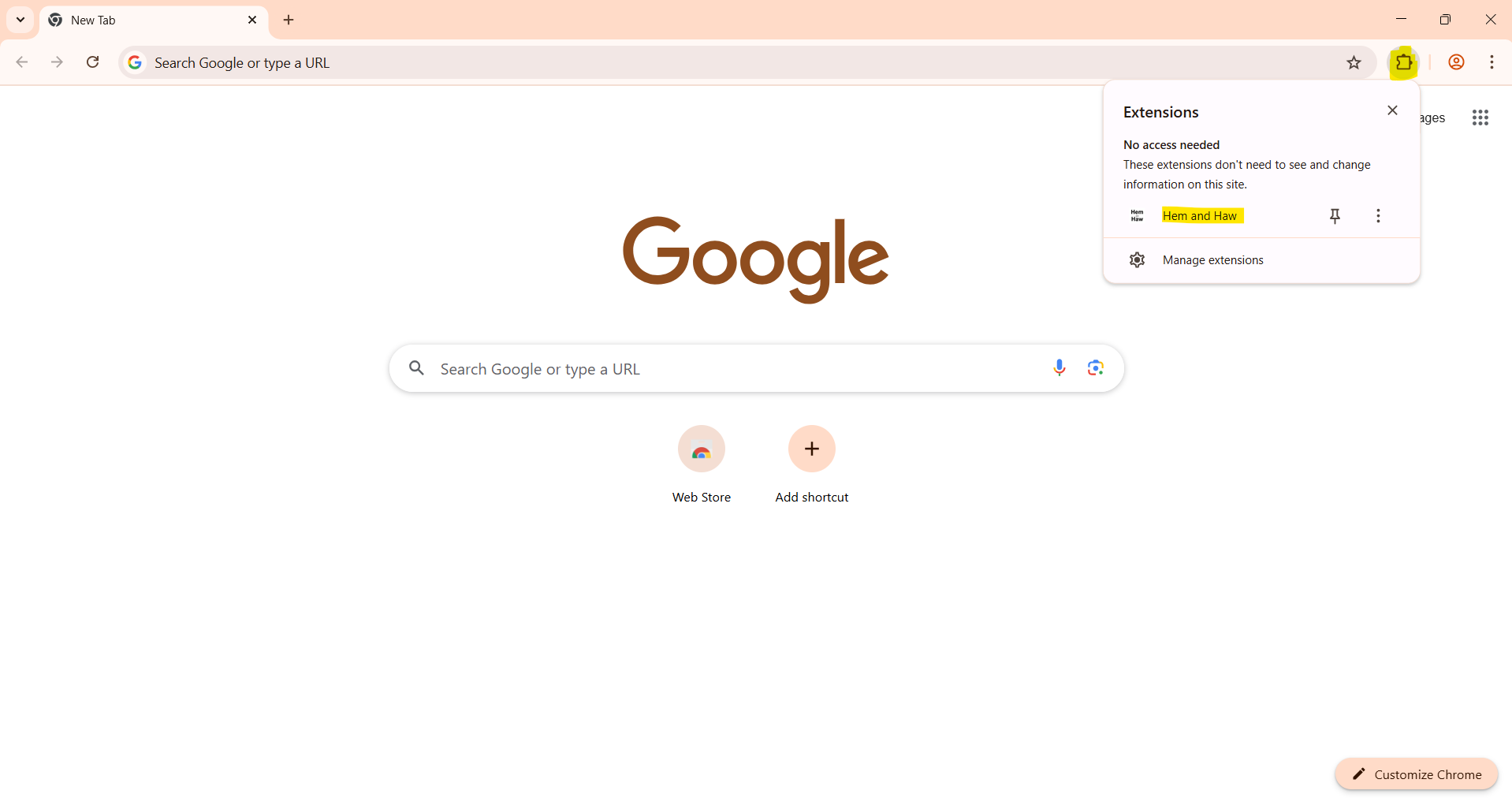
Once installed, open Hem and Haw by clicking on its icon in the browser toolbar (usually located at the top-right corner of your browser
window). If you don't see the icon right away, you may need to access it through the browser's extensions menu.
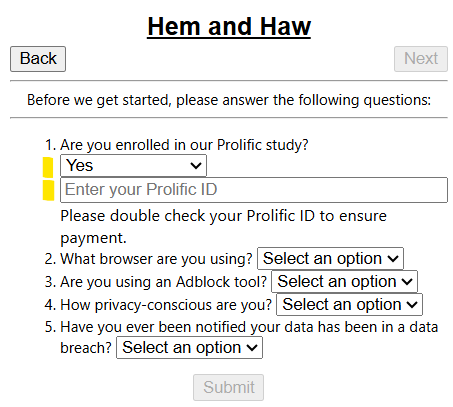
3. Answer the survey questions
Important: For question 1. "Are you enrolled in our Prolific study?", please select "Yes" and make sure to
correctly paste or enter your Prolific ID in the text box that appears.
This is crucial for us to verify your participation and process your payment.
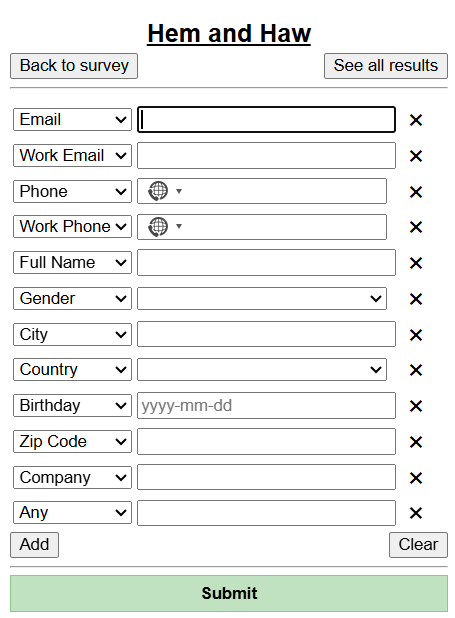
4. Enter your personal details for Hem and Haw to work.
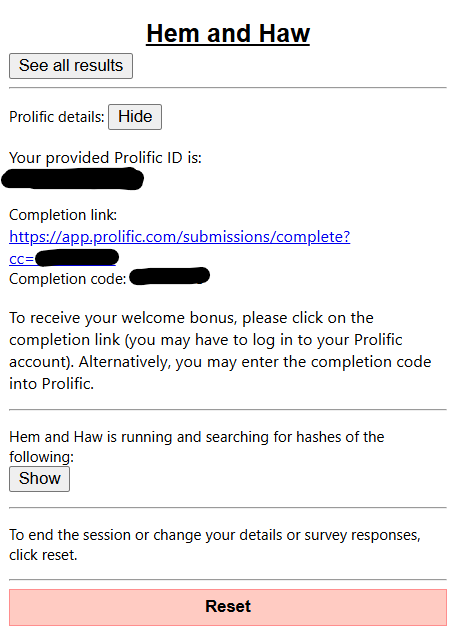
5. Click the completion link and earn your welcome reward.
6. Browse the web as usual!
You have successfully set up Hem and Haw! Keep browsing with Hem and Haw running to earn weekly bonus rewards!
Additional Information
At any point, you may click on the Hem and Haw icon in your browser toolbar to open the extension to:
- view your stats and see what websites have covertly sent your information
- change your provided personal details
- change your survey answers
- pause the extension if you do not want it to run temporarily. You can resume it later by clicking the "Submit" button in the extension popup. Keep in mind that you will not earn bonus payments while the extension is paused.